Introduce bootstrap resampling as an alternative to parametric inference
Find range of plausible values for the slope using bootstrap confidence intervals
Conduct permutation tests on the slope
AE 04: Bootstrap CIs & Permutation Tests
Computational setup
# load packageslibrary(tidyverse) # for data wrangling and visualizationlibrary(tidymodels) # for modelinglibrary(openintro) # for Duke Forest datasetlibrary(scales) # for pretty axis labelslibrary(glue) # for constructing character stringslibrary(knitr) # for neatly formatted tableslibrary(kableExtra) # also for neatly formatted tablesf# set default theme and larger font size for ggplot2ggplot2::theme_set(ggplot2::theme_bw(base_size =16))
The Bootstrap
The Core Problem of Statistical Inference
We’re stuck with one sample
In reality, we collect one sample from our population of interest
We compute an estimate (mean, proportion, regression coefficient, etc.)
But: How much would this estimate vary if we collected a different sample?
What we’d ideally do:
Collect many samples → compute estimate for each → examine the sampling distribution → quantify uncertainty
The problem: We can’t afford to collect many samples!
Review: The Sampling Distribution
If we could peer into parallel universes with different samples, we could:
See how much our estimate varies across samples
Calculate a standard error
Measure our uncertainty
But we can’t. We have one sample, one estimate, and one reality.
Two Approaches to the Impossible
How can we approximate a sampling distribution with only one sample?
Resampling approach (the bootstrap)
Pretend the sample represents the population
Repeatedly resample from the sample itself
Use the variability across resamples to approximate sampling variability
Mathematical approximations
Use probability theory (Central Limit Theorem, etc.)
Examples: - SE for a mean: \(\sigma/\sqrt{n}\) (from theory), SE for regression: \(\sqrt{\hat{\sigma}^2(\mathbf{X}'\mathbf{X})^{-1}}\) (from linear algebra) - Central Limit Theorem: means are approximately normal for large \(n\) - Maximum Likelihood: use observed information matrix for SEs
Today’s focus: The bootstrap (resampling approach)
The Bootstrap Idea
Big Idea: We can approximately simulate sampling variability by resampling from our sample
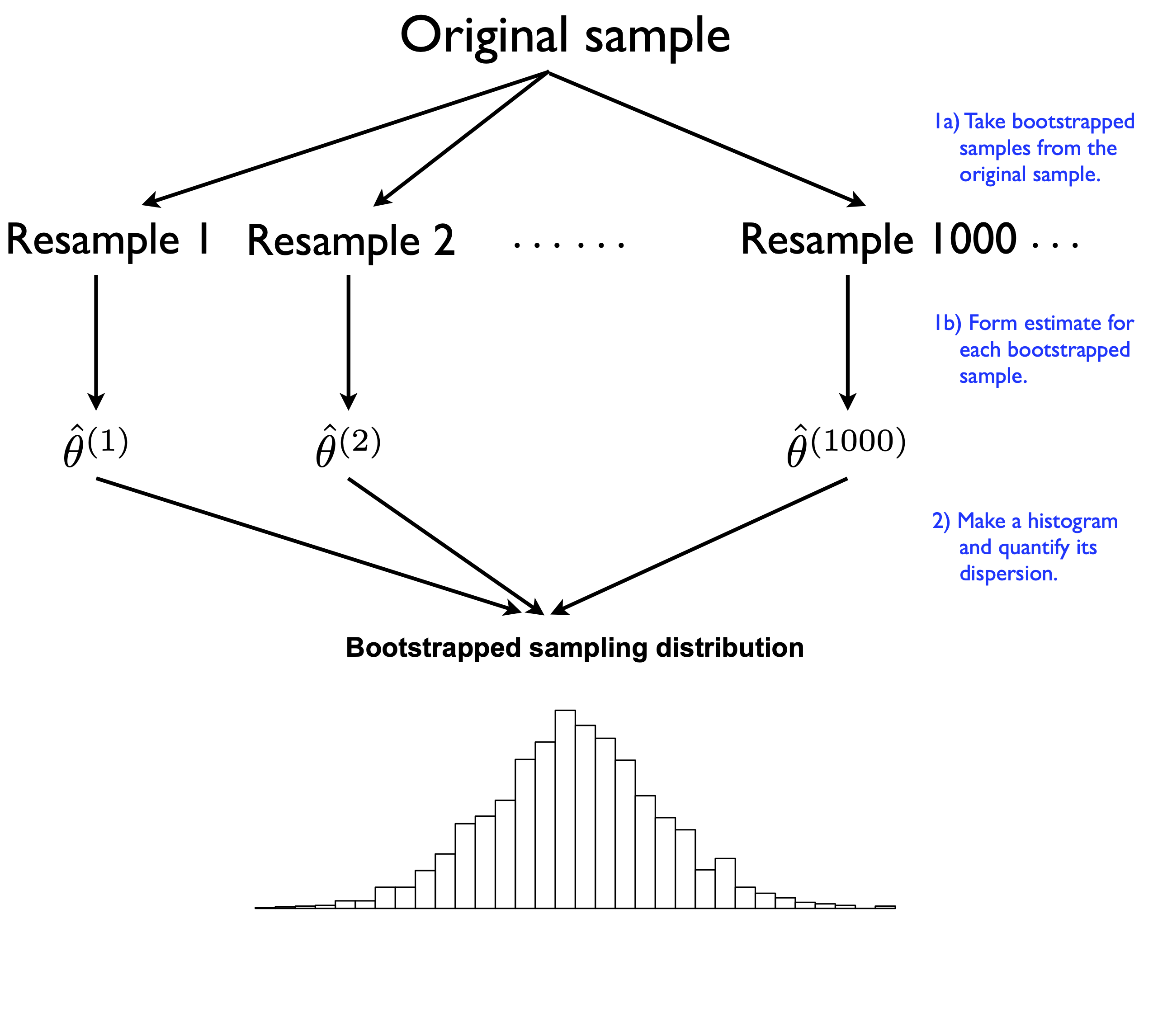
The Bootstrap Process:
Take our original sample of size \(n\)
Draw a resample of size \(n\)with replacement from the original sample
Compute our statistic (mean, proportion, etc.) for this resample
Repeat steps 2-3 thousands of times
Examine the distribution of these resampled statistics
This distribution is called the bootstrap sampling distribution
It approximates the true sampling distribution we’d get from repeated samples of the population
Why Would This Work?
Uncertainty arises from randomness in our data-generating process
If we can approximately simulate this randomness
Then we can approximately quantify our uncertainty
The bootstrap assumption:
Our sample is representative enough of the population that resampling from it mimics the process of sampling from the population
In other words: Use the sample as a “stand-in” population
Visualizing the Bootstrap
Visualizing the Bootstrap
Each block represents one bootstrap sample (resample of our original data)
Each bootstrap sample is the same size as the original: \(n\)
Compute our statistic for each bootstrap sample
The variation across bootstrap samples estimates sampling variability
Two Critical Properties
For the bootstrap to work, we must follow two rules:
Rule 1: Same size
Each bootstrap sample must be size \(n\) (same as original sample)
After selecting each observation, put it back before selecting the next one
Why? Creates synthetic variability through random patterns of:
Duplicates: some observations appear multiple times
Omissions: some observations don’t appear at all
This mimics true sampling variability
Sampling With vs. Without Replacement
What would happen if we took a sample of size \(n\) with replacement?
Why we need replacement: Random patterns of duplicates and omissions create variability in our resampled statistics
Bootstrap Summary
What we learn from bootstrapping:
The amount of variability across bootstrap statistics tells us about sampling variability
Some bootstrap statistics will be too high, some too low, some just right
The spread of the bootstrap distribution measures our statistical uncertainty
We can use this to construct confidence intervals
The fundamental principle:
You’re certain if your results are repeatable under different samples from the same data-generating process. Bootstrapping measures repeatability by approximating that sampling process.
Data: Houses in Duke Forest
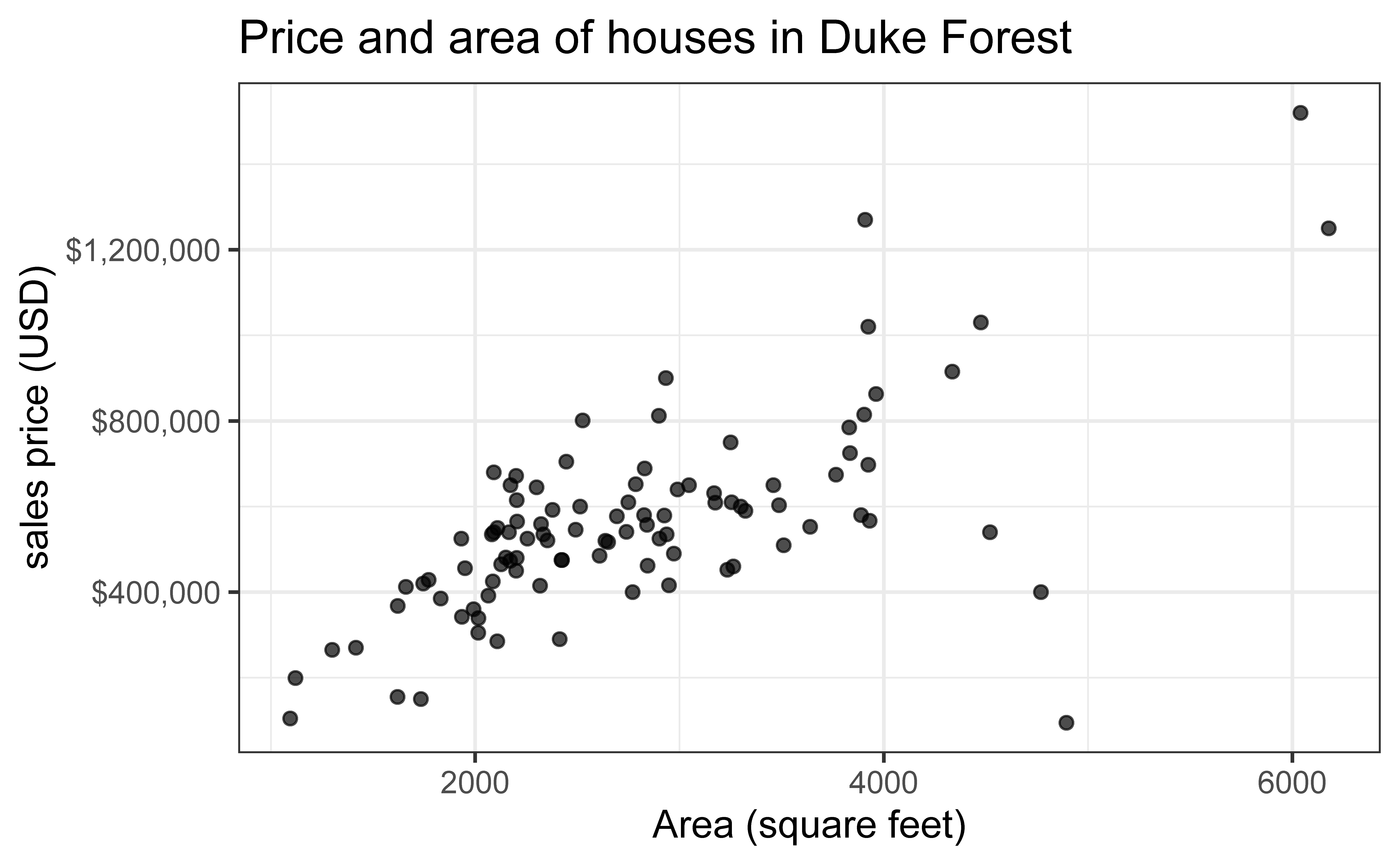
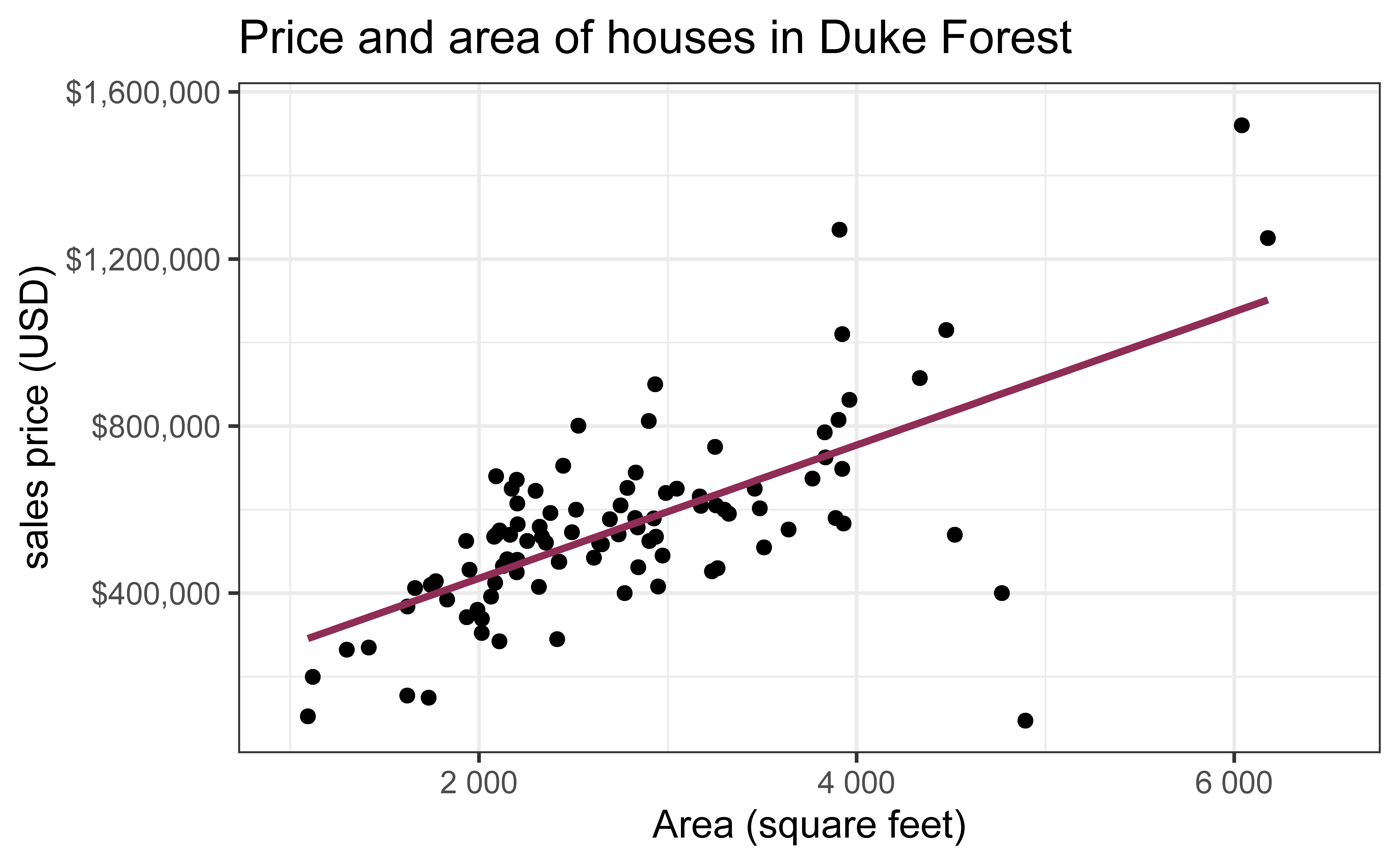
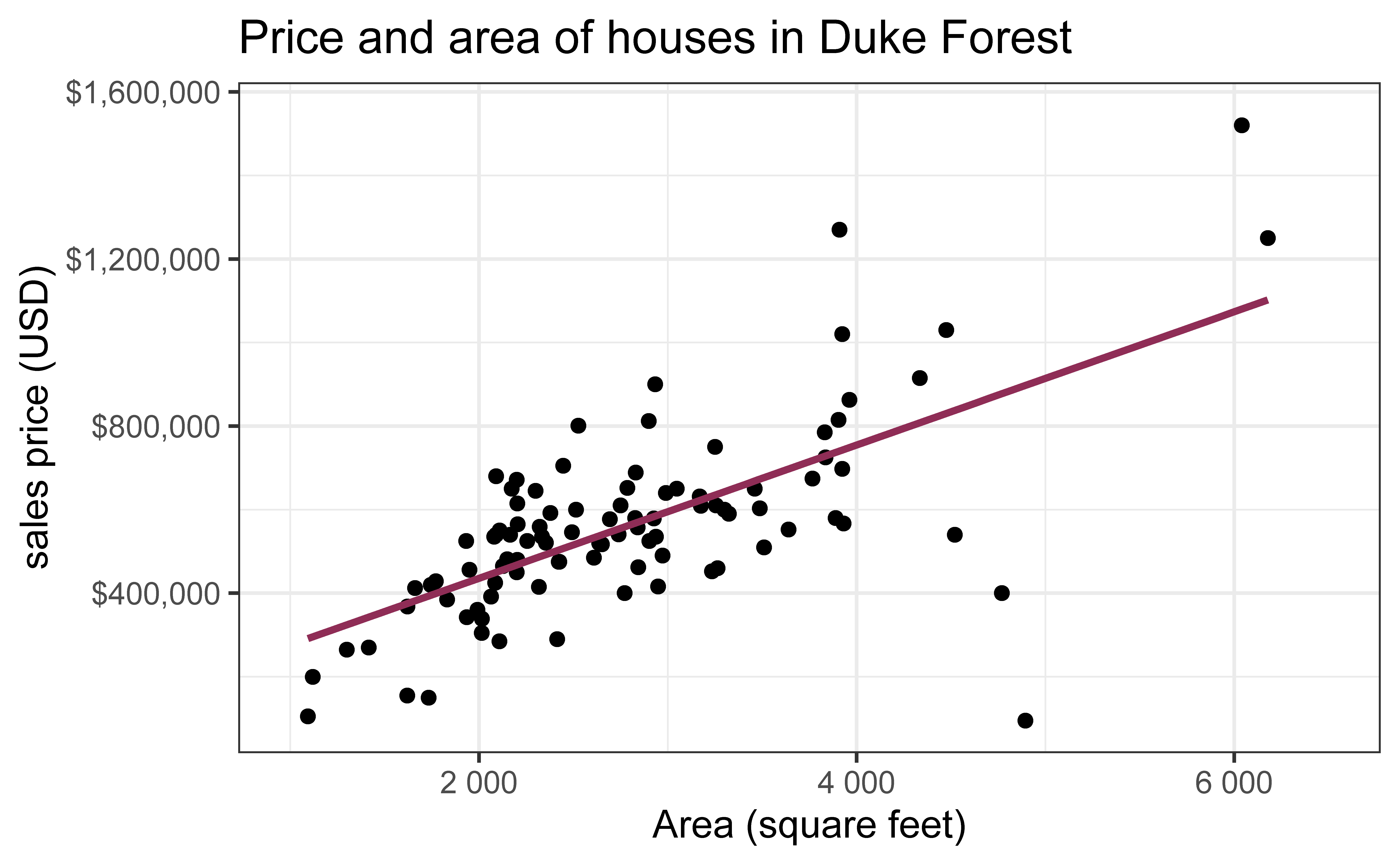
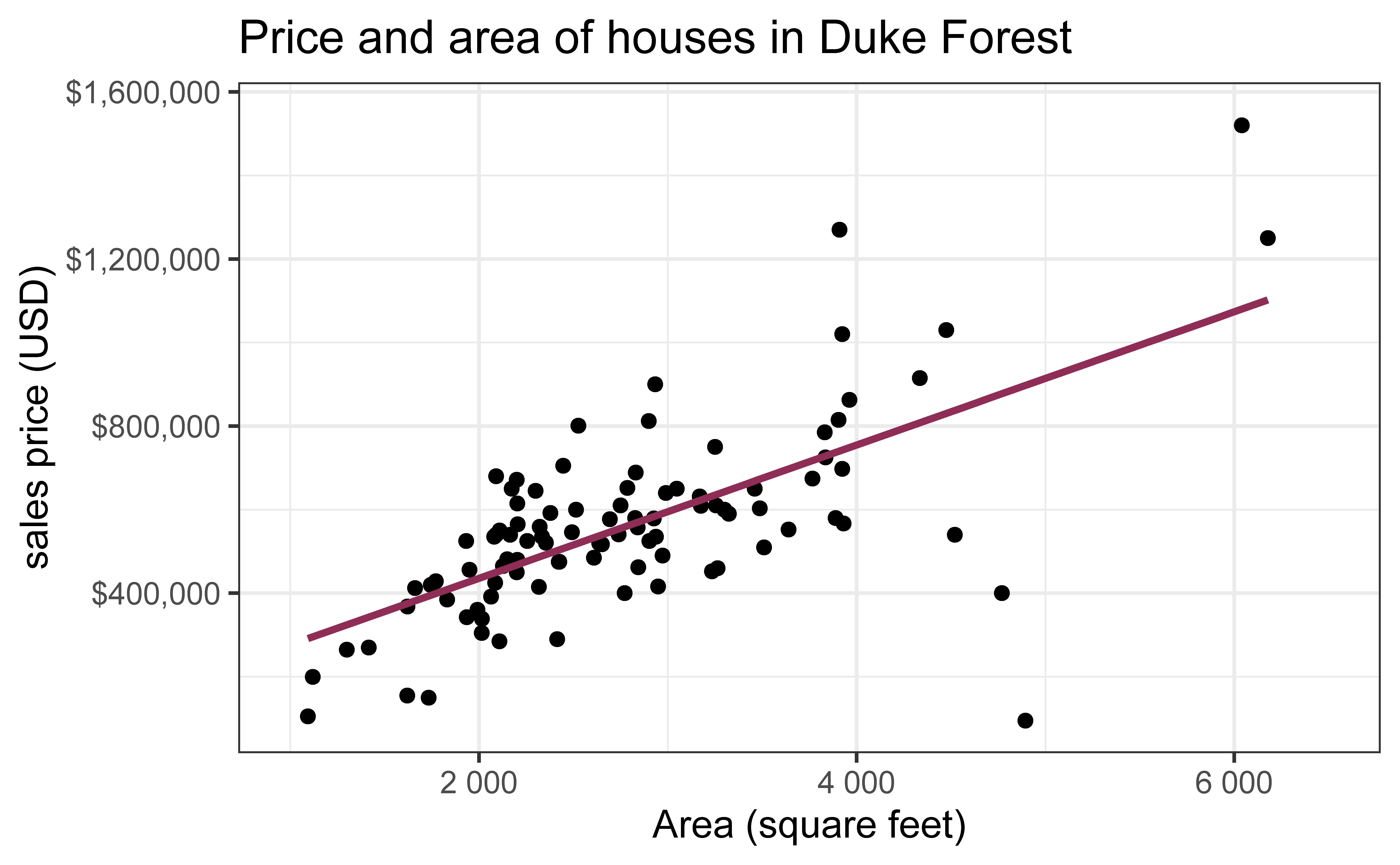
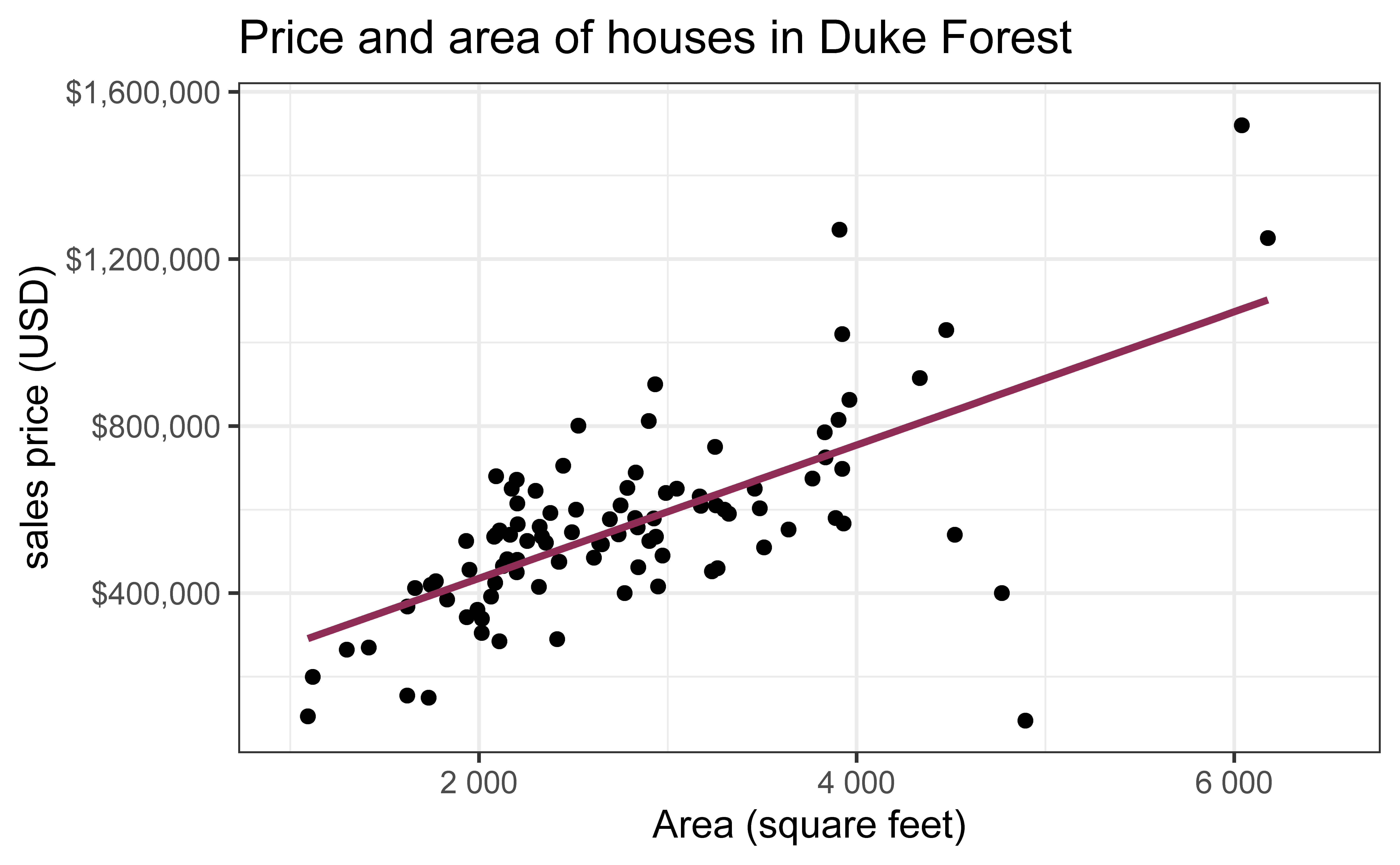
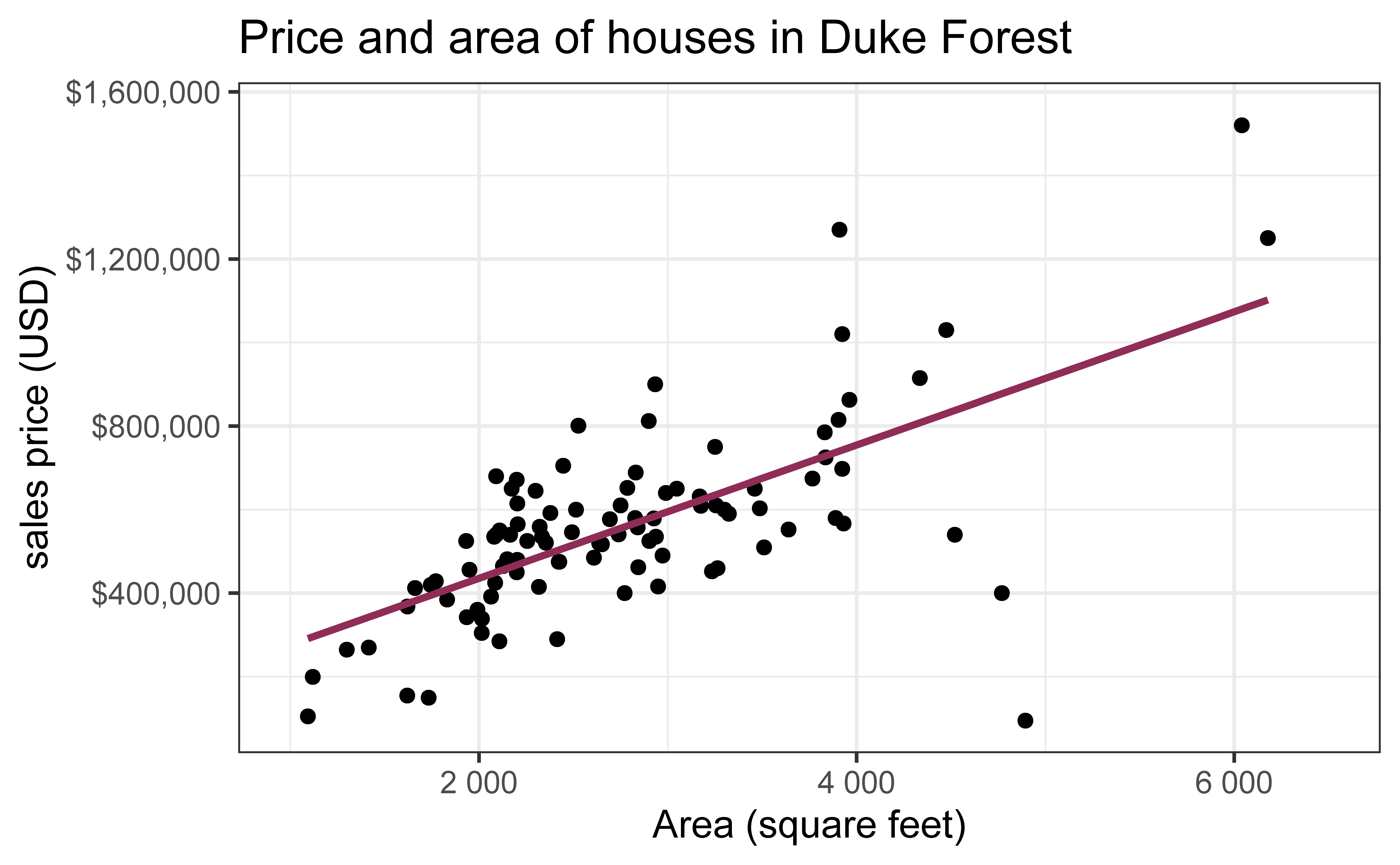
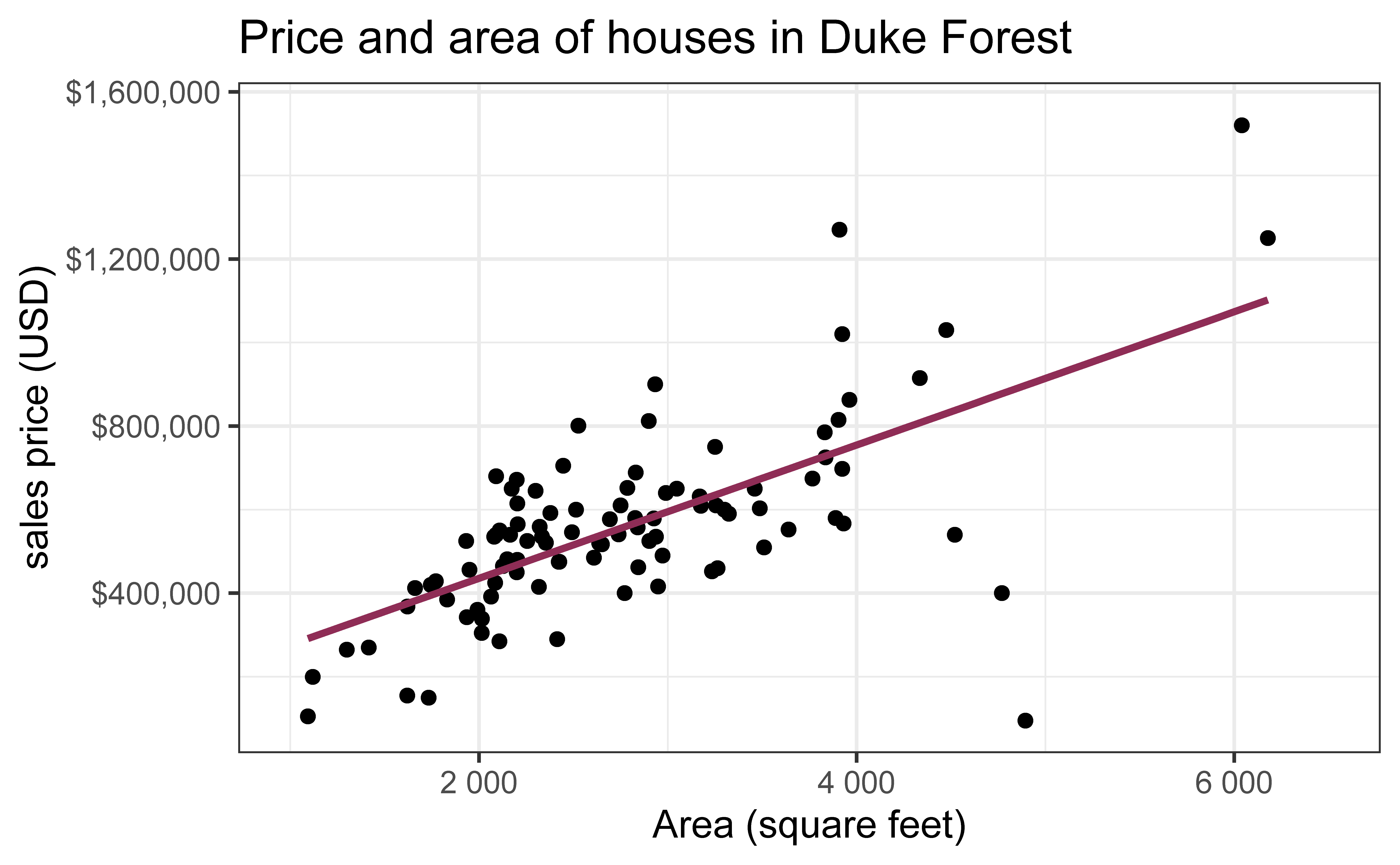
Data on houses that were sold in the Duke Forest neighborhood of Durham, NC around November 2020
Goal: Use the area (in square feet) to understand variability in the price of houses in Duke Forest.
Exploratory data analysis
Code
ggplot(duke_forest, aes(x = area, y = price)) +geom_point(alpha =0.7) +labs(x ="Area (square feet)",y ="sales price (USD)",title ="Price and area of houses in Duke Forest" ) +scale_y_continuous(labels =label_dollar())
Modeling
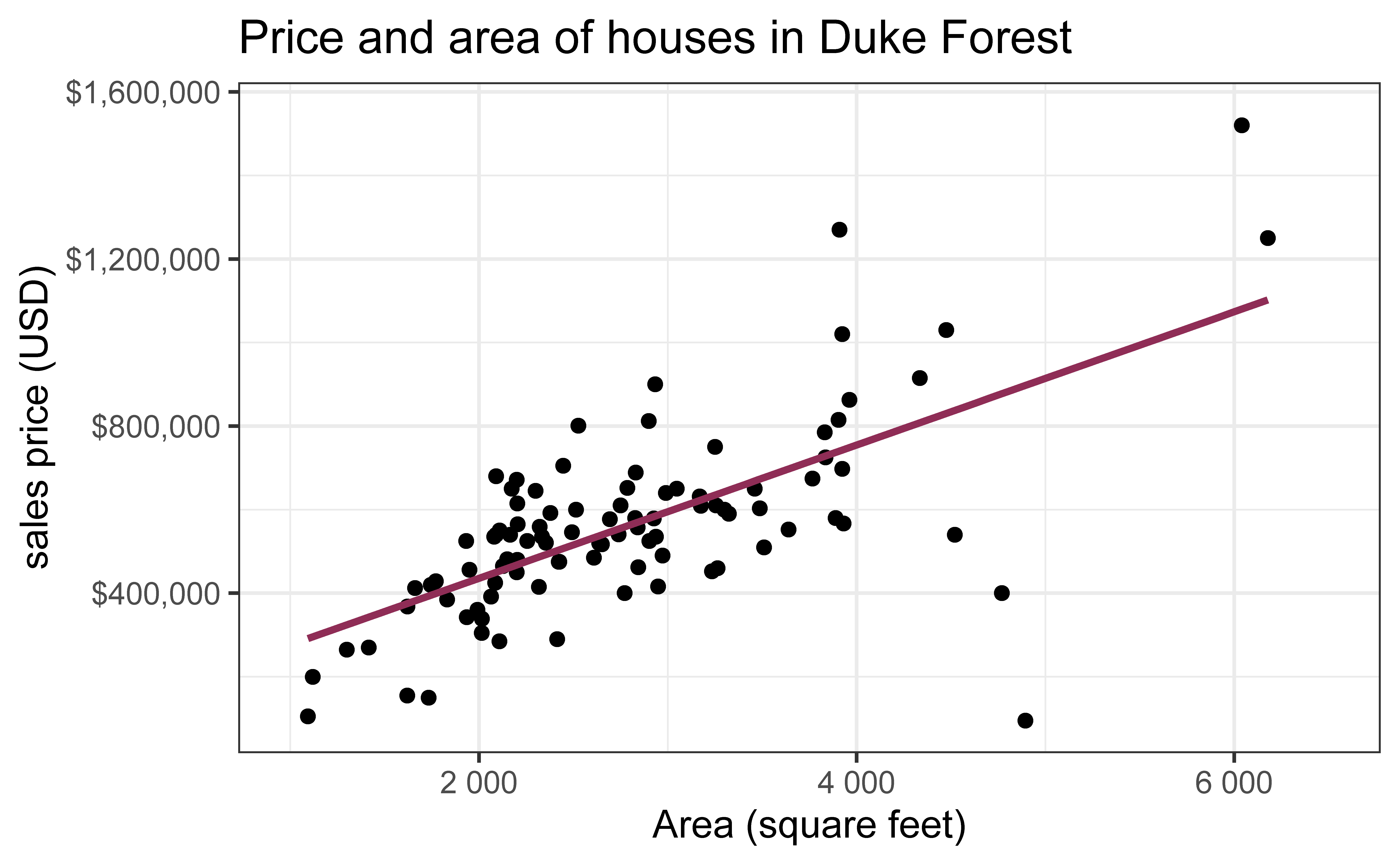
df_fit <-lm(price ~ area, data = duke_forest)tidy(df_fit) |>kable(digits =2) #neatly format table to 2 digits
term
estimate
std.error
statistic
p.value
(Intercept)
116652.33
53302.46
2.19
0.03
area
159.48
18.17
8.78
0.00
From sample to population
For each additional square foot, we expect the sales price of Duke Forest houses to be higher by $159, on average.
This estimate is valid for the single sample of 98 houses.
But what if we’re not interested quantifying the relationship between the size and price of a house in this single sample?
What if we want to say something about the relationship between these variables for all houses in Duke Forest? \(\rightarrow\)Inference!
Quantify the variability of the slope
for estimation
Bootstrapping to quantify the variability of the slope for the purpose of estimation:
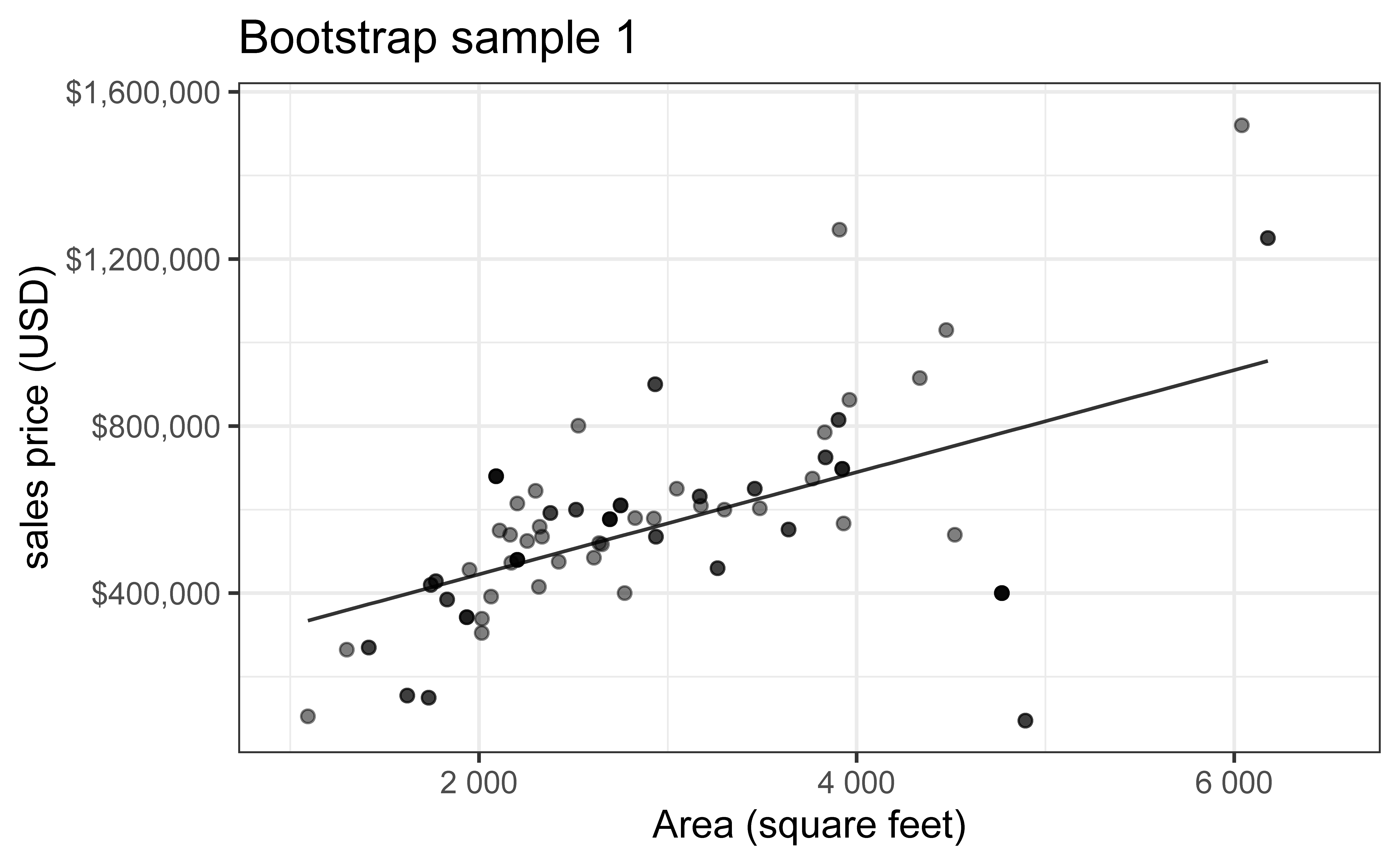
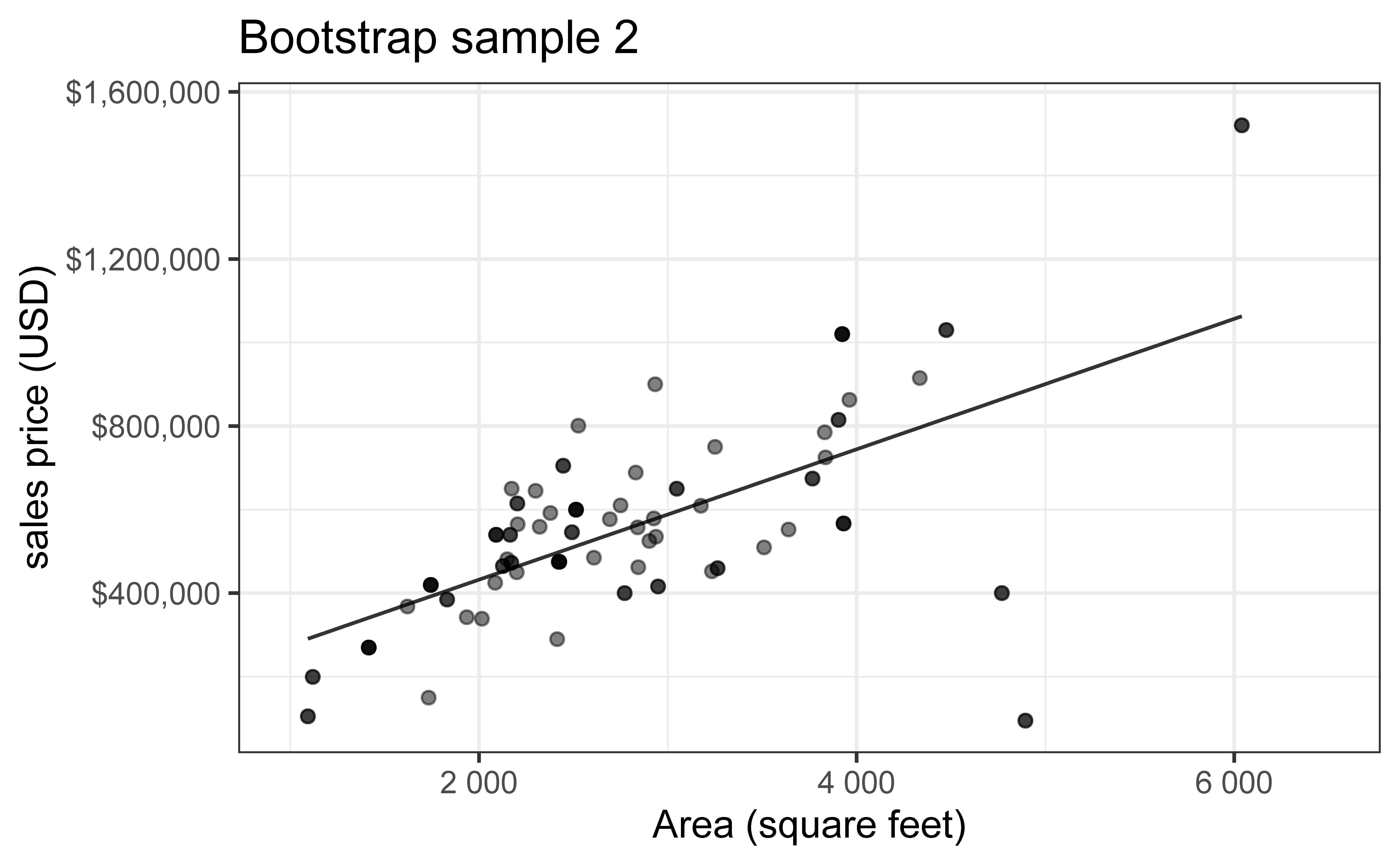
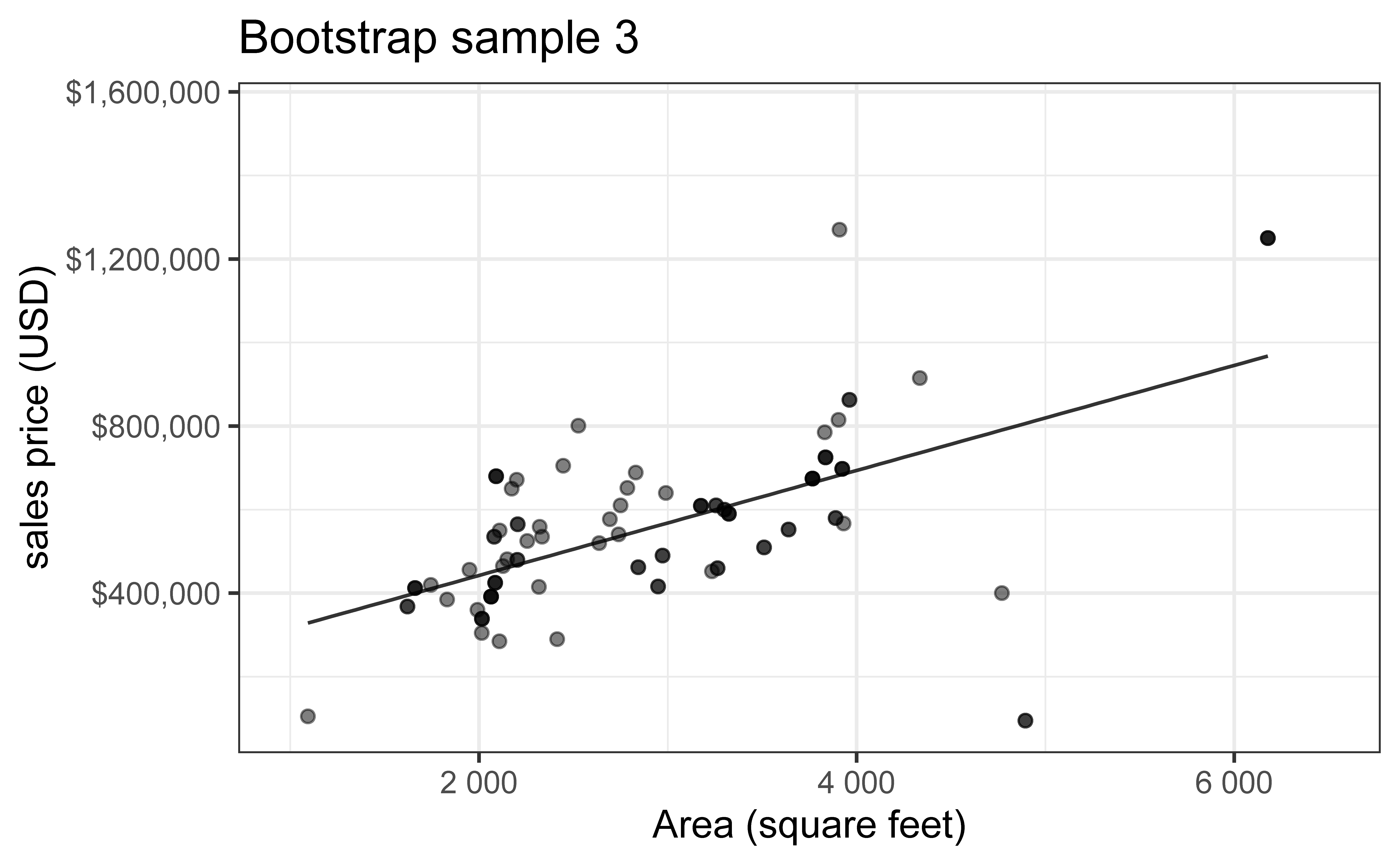
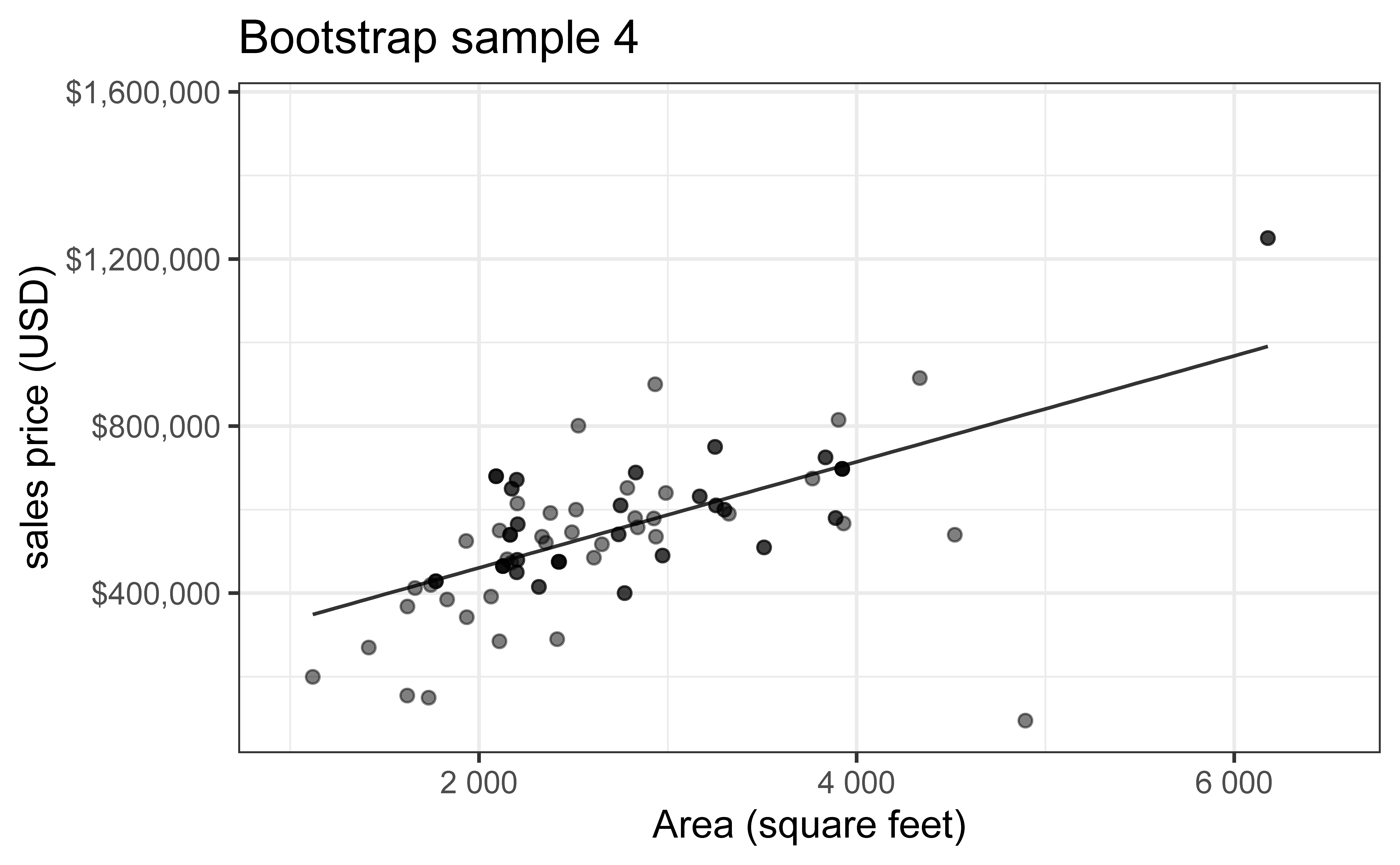
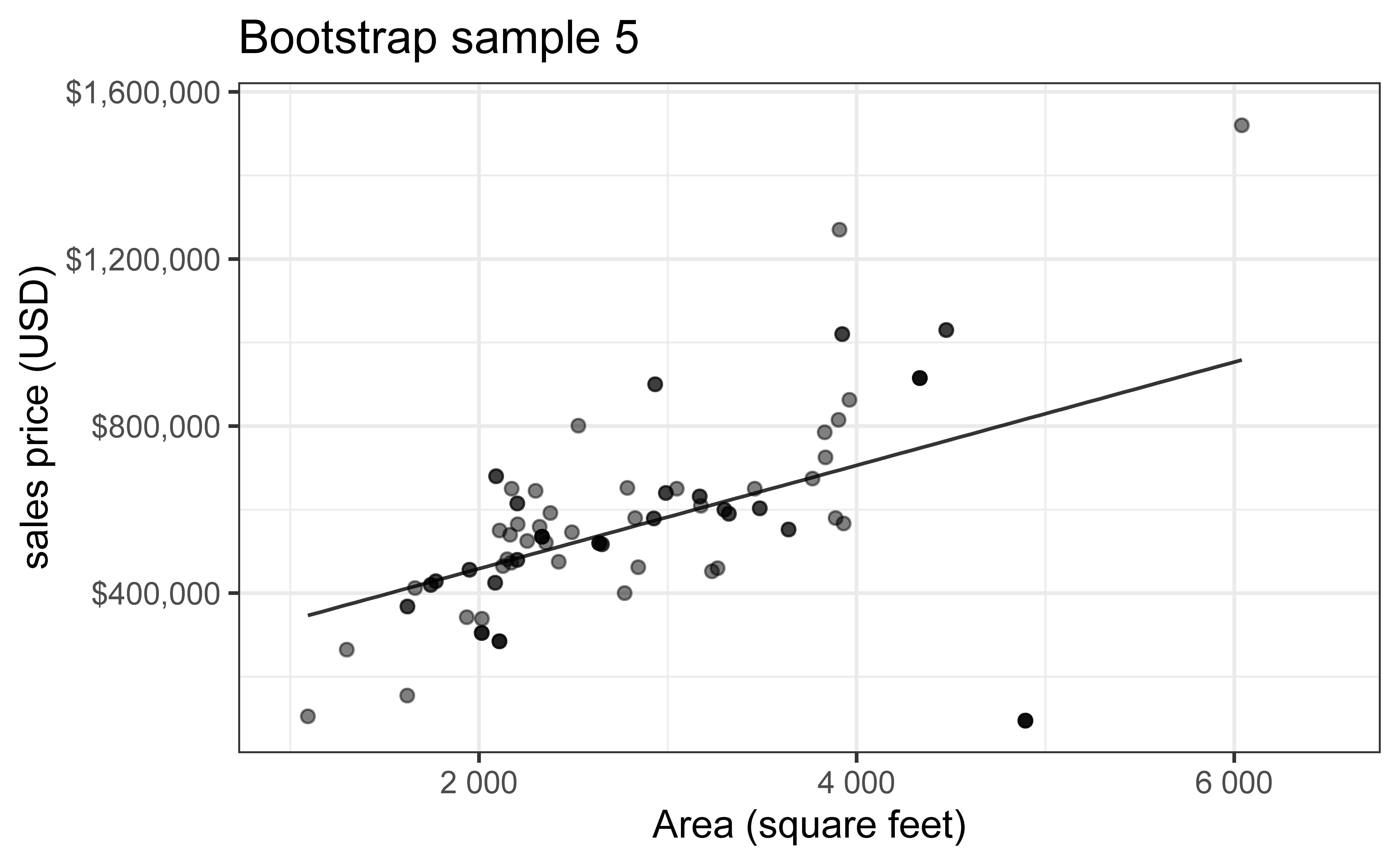
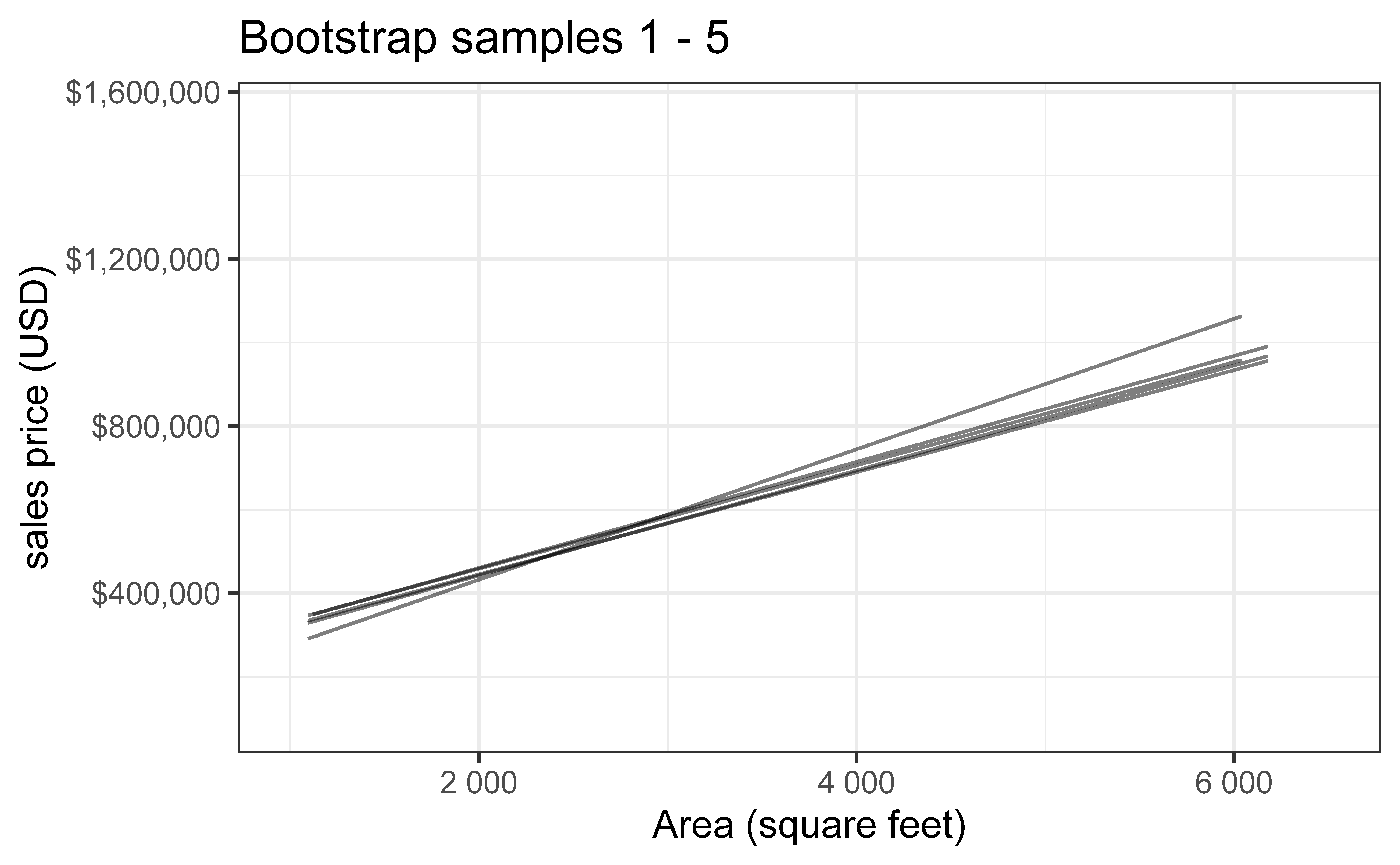
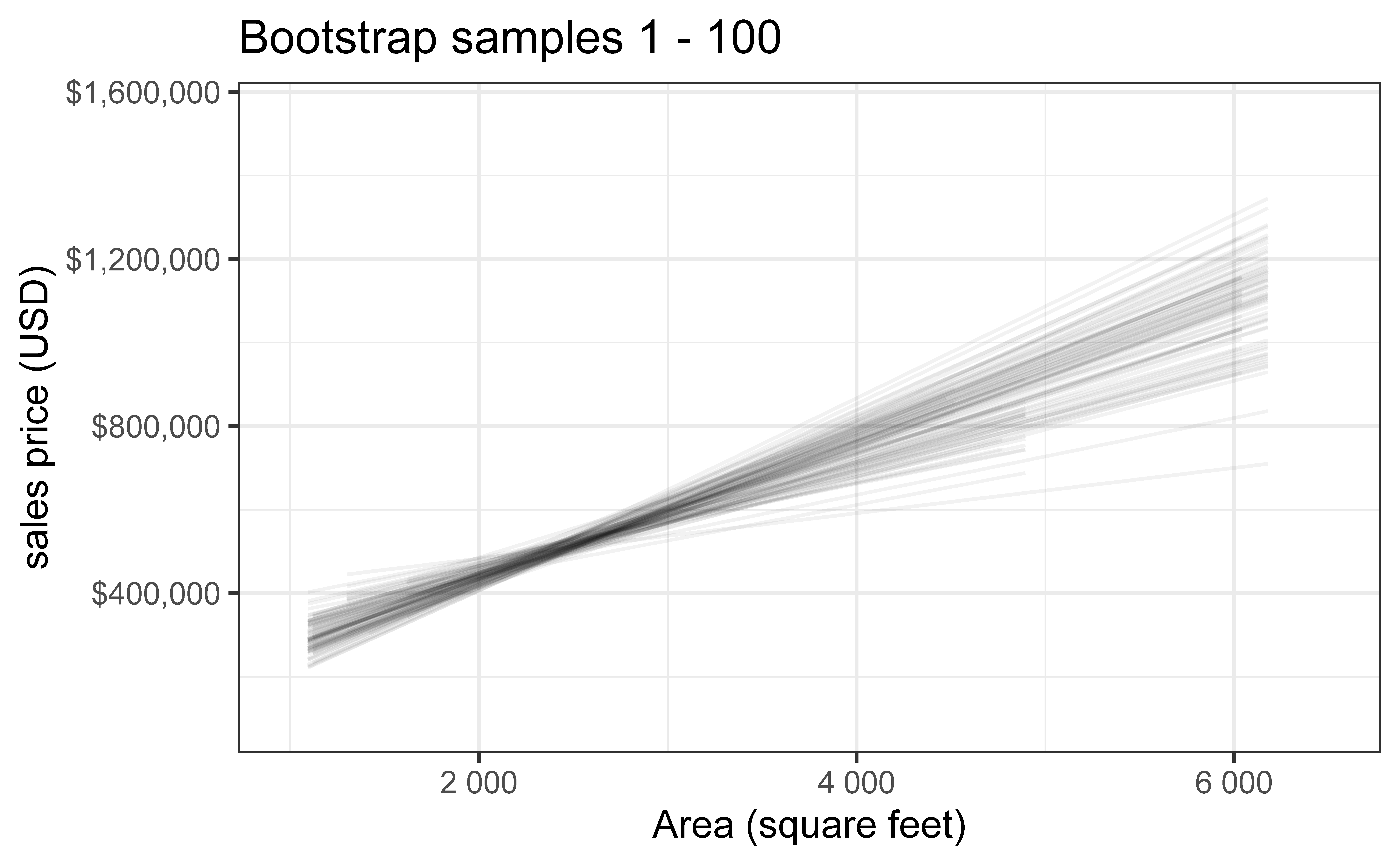
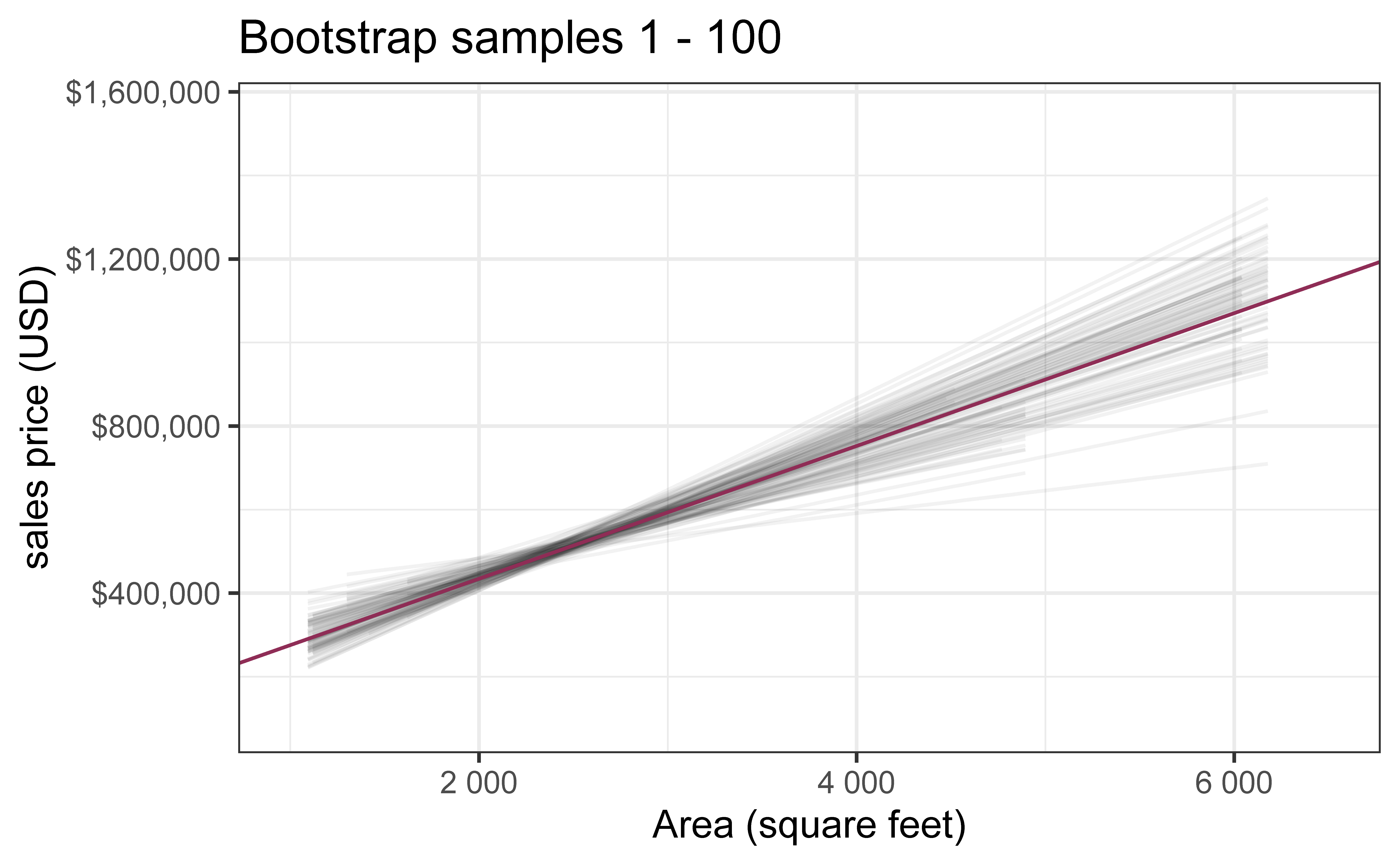
Bootstrap new samples from the original sample, i.e. take sample of size \(n\) with replacement
Fit models to each of the samples and estimate the slope
Use features of the distribution of the bootstrapped slopes to construct a confidence interval
Bootstrap sample 1
`geom_smooth()` using formula = 'y ~ x'
`geom_smooth()` using formula = 'y ~ x'
Bootstrap sample 2
`geom_smooth()` using formula = 'y ~ x'
`geom_smooth()` using formula = 'y ~ x'
Bootstrap sample 3
`geom_smooth()` using formula = 'y ~ x'
`geom_smooth()` using formula = 'y ~ x'
Bootstrap sample 4
`geom_smooth()` using formula = 'y ~ x'
`geom_smooth()` using formula = 'y ~ x'
Bootstrap sample 5
`geom_smooth()` using formula = 'y ~ x'
`geom_smooth()` using formula = 'y ~ x'
so on and so forth…
Bootstrap samples 1 - 5
`geom_smooth()` using formula = 'y ~ x'
`geom_smooth()` using formula = 'y ~ x'
Bootstrap samples 1 - 100
`geom_smooth()` using formula = 'y ~ x'
`geom_smooth()` using formula = 'y ~ x'
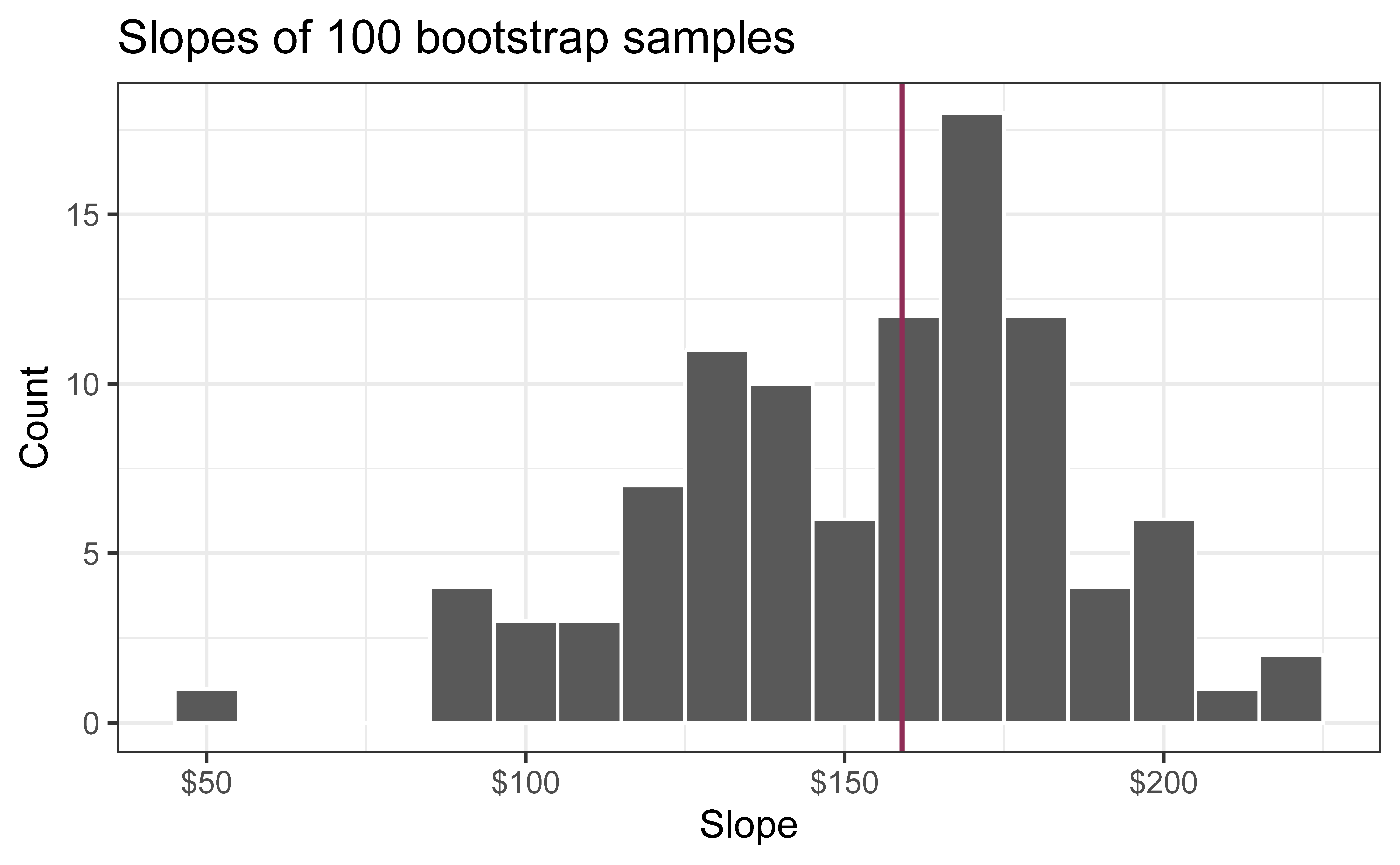
Slopes of bootstrap samples
Fill in the blank: For each additional square foot, the model predicts the sales price of Duke Forest houses to be higher, on average, by $159, plus or minus ___ dollars.
`geom_smooth()` using formula = 'y ~ x'
Slopes of bootstrap samples
Fill in the blank: For each additional square foot, we expect the sales price of Duke Forest houses to be higher, on average, by $159, plus or minus ___ dollars.
Warning: Using `size` aesthetic for lines was deprecated in ggplot2 3.4.0.
ℹ Please use `linewidth` instead.
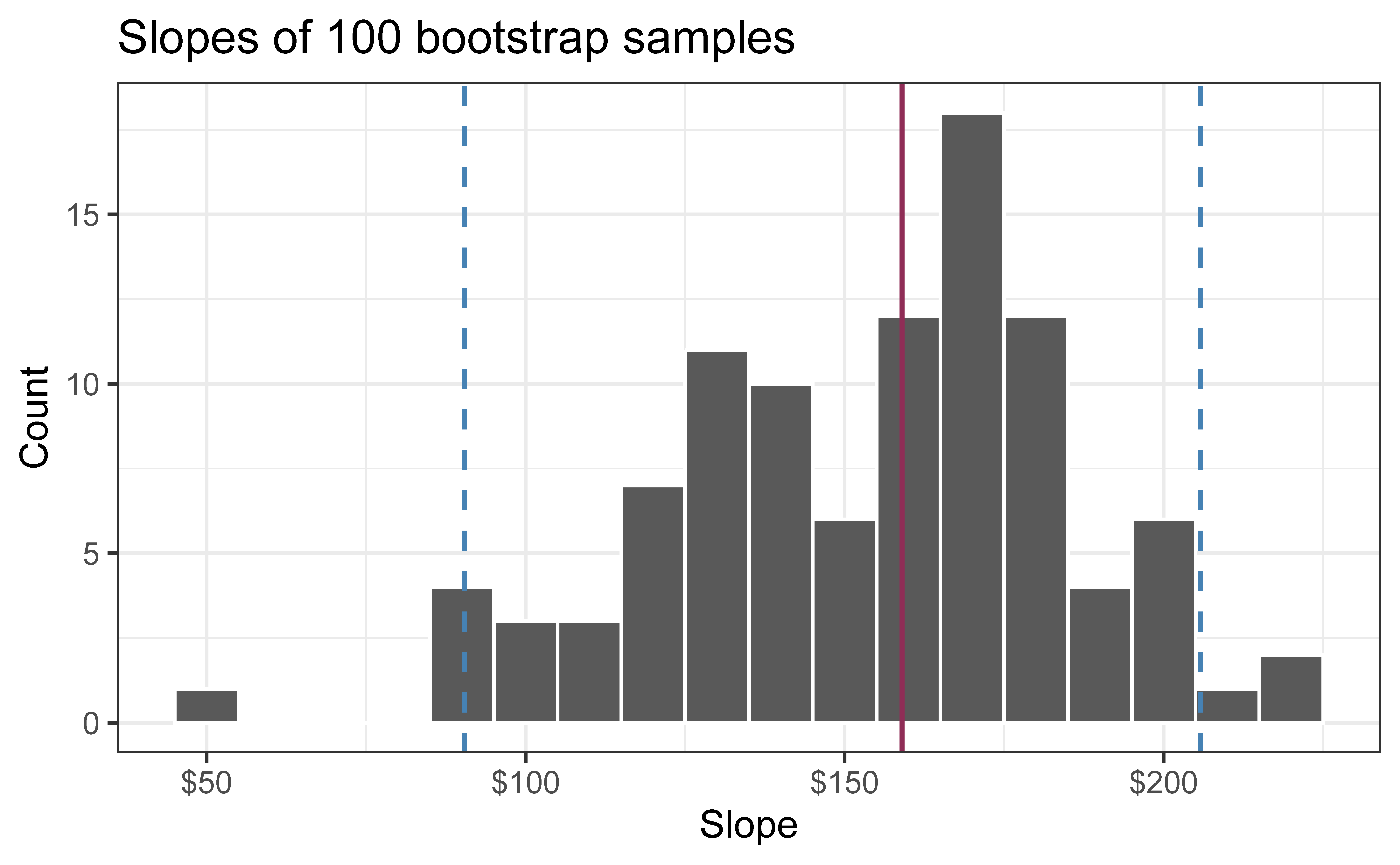
95% confidence interval
A 95% confidence interval is bounded by the middle 95% of the bootstrap distribution
We are 95% confident that for each additional square foot, sales price of Duke Forest houses to be higher, on average, by $90.43 to $205.77.
The 95% CI is \((\hat\beta^*_{(25)}, \hat\beta^*_{(975)})\) — simply the 2.5th and 97.5th percentiles!
Advantages:
No normality assumption required
Simple and intuitive
Automatically adapts to skewness in the bootstrap distribution
Method 3: BCa (Bias-Corrected and Accelerated) Intervals
Motivation: Percentile intervals can be improved by correcting for:
Bias: When the bootstrap distribution is not centered at \(T\)
Skewness: When the bootstrap distribution is asymmetric
The BCa method (at a high level):
Computes a bias-correction factor\(\hat{z}_0\) based on how many bootstrap replicates fall below the original estimate
Computes an acceleration factor\(\hat{a}\) using jackknife values (measures rate of change of standard error)
Measures whether the variability of your estimate changes as the estimate itself changes. Uses a technique called the “jackknife” (leave-one-out: recompute your estimate dropping each observation one at a time)
Example: Maybe when \(\hat{\beta}\) is small, its SE is also small, but when \(\hat{\beta}\) is large, its SE is also large — the acceleration factor captures this relationship
Adjusts the percentile cutoffs accordingly
Takeaway
BCa produces more accurate confidence intervals by accounting for bias and skewness that the simple percentile method ignores.
When the bootstrap distribution is symmetric and unbiased, BCa gives nearly the same answer as the percentile method.
In our case, \(\hat\beta\) is unbiased for \(\beta\), so no bias-correction is necessary.
Comparing the Three Methods
Method
Assumptions
Bootstrap Reps Needed
Advantages
Disadvantages
Normal-theory
Normality of \(T\)
~100-200
Simple, fast
Poor if distribution is skewed
Percentile
None
~1000+
Intuitive, adapts to skewness
Can be biased in small samples
BCa
None
~1000+
Best coverage, handles bias & skewness
More complex, computationally intensive
General recommendations
Normal-theory: Quick exploratory analysis, or when you’re confident in normality
Percentile: Good default choice for most applications
BCa: Most reliable, especially when sample sizes are small, or distributions are skewed
Computing the CI for the slope III
For our purposes, we’ll use the Percentile method: (the default in get_confidence_interval) Compute the 95% CI as the middle 95% of the bootstrap distribution:
# A tibble: 2 × 3
  term      lower_ci upper_ci
  <chr>        <dbl>    <dbl>
1 area          56.3     226.
2 intercept -61950.   370395.
Application exercise
📋 Head to Canvas to get started on AE 04, Question 1. Select groups, please share your responses in these google slides.
Permutation test for the slope
Research question and hypotheses
“Do the data provide sufficient evidence that \(\beta_1\) (the true slope for the population) is different from 0?”
Null hypothesis: there is no linear relationship between area and price
\[
H_0: \beta_1 = 0
\]
Alternative hypothesis: there is a linear relationship between area and price
\[
H_a: \beta_1 \ne 0
\]
Quantify the variability of the slope
for testing
Two approaches:
Via simulation
Via mathematical models
Use Permutation to quantify the variability of the slope for the purpose of testing, under the assumption that the null hypothesis is true:
Simulate new samples from the original sample via permutation
Fit models to each of the samples and estimate the slope
Use features of the distribution of the permuted slopes to conduct a hypothesis test
Permutation, described
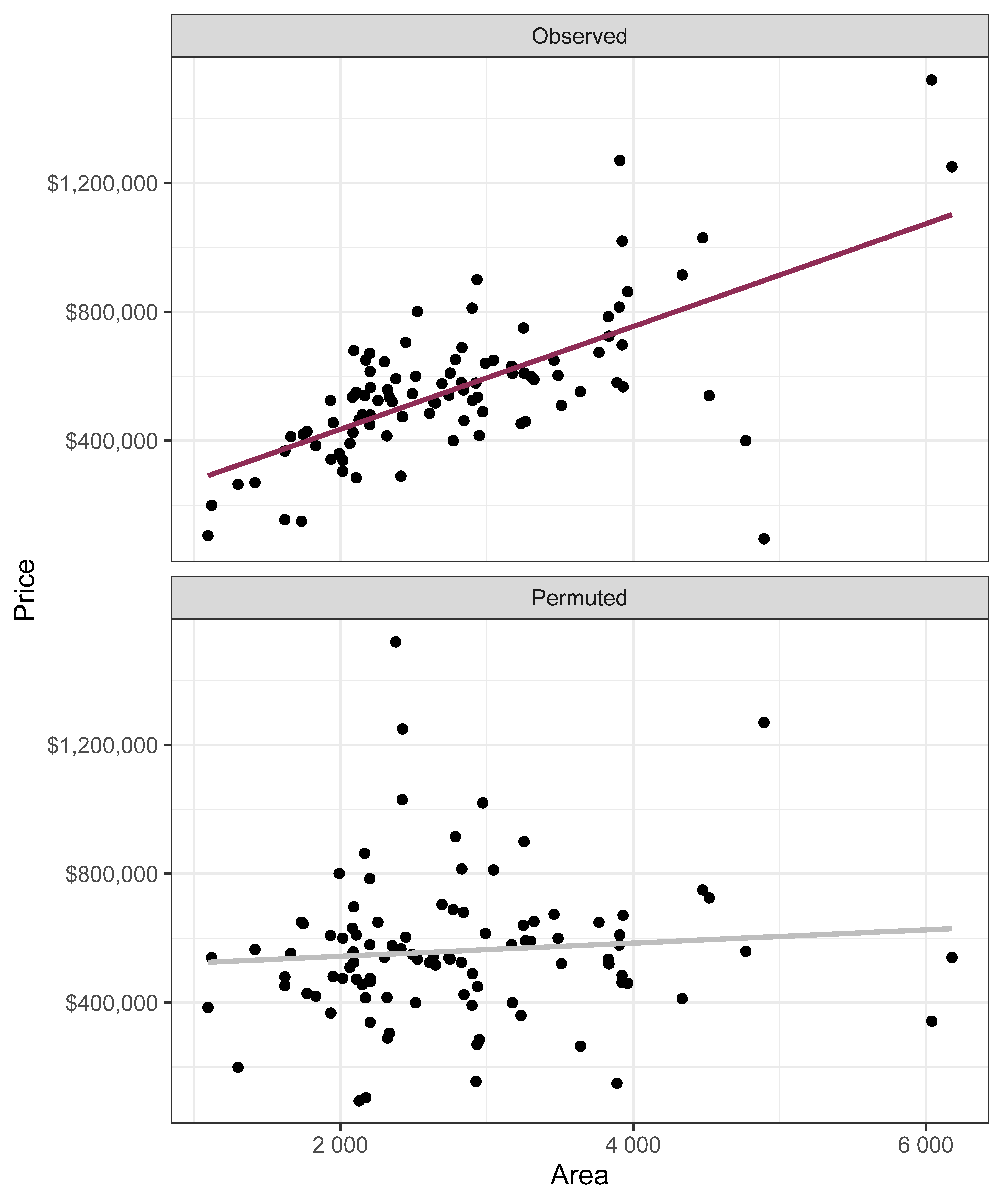
Use permuting to simulate data under the assumption the null hypothesis is true and measure the natural variability in the data due to sampling, not due to variables being correlated
Permute one variable to eliminate any existing relationship between the variables
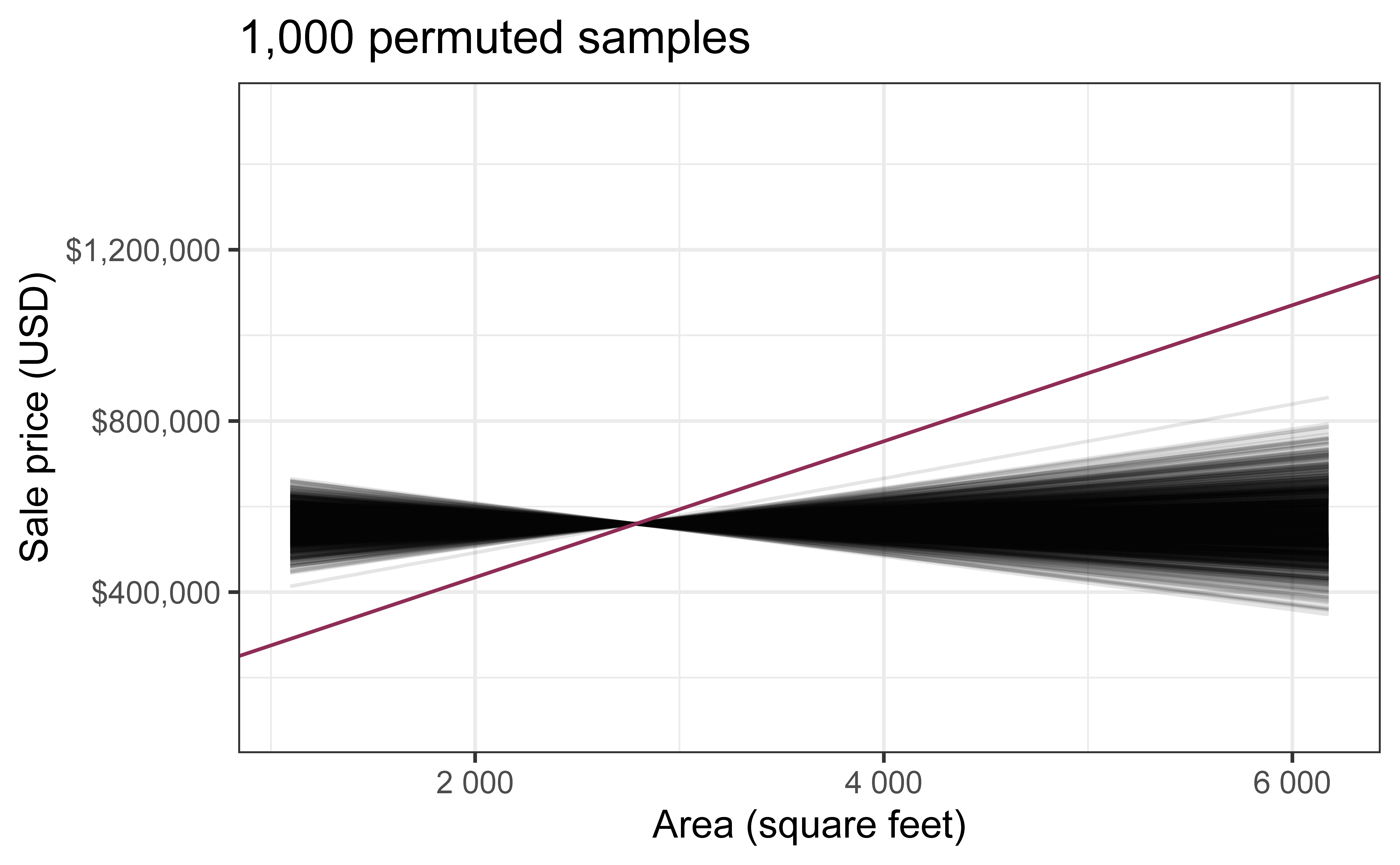
Each price value is randomly assigned to the area of a given house, i.e. area and price are no longer matched for a given house
Each of the observed values for area (and for price) exist in both the observed data plot as well as the permuted price plot
The permutation removes the relationship between area and price
`geom_smooth()` using formula = 'y ~ x'
Permutation, repeated
Repeated permutations allow for quantifying the variability in the slope under the condition that there is no linear relationship (i.e., that the null hypothesis is true)
`geom_smooth()` using formula = 'y ~ x'
Concluding the hypothesis test
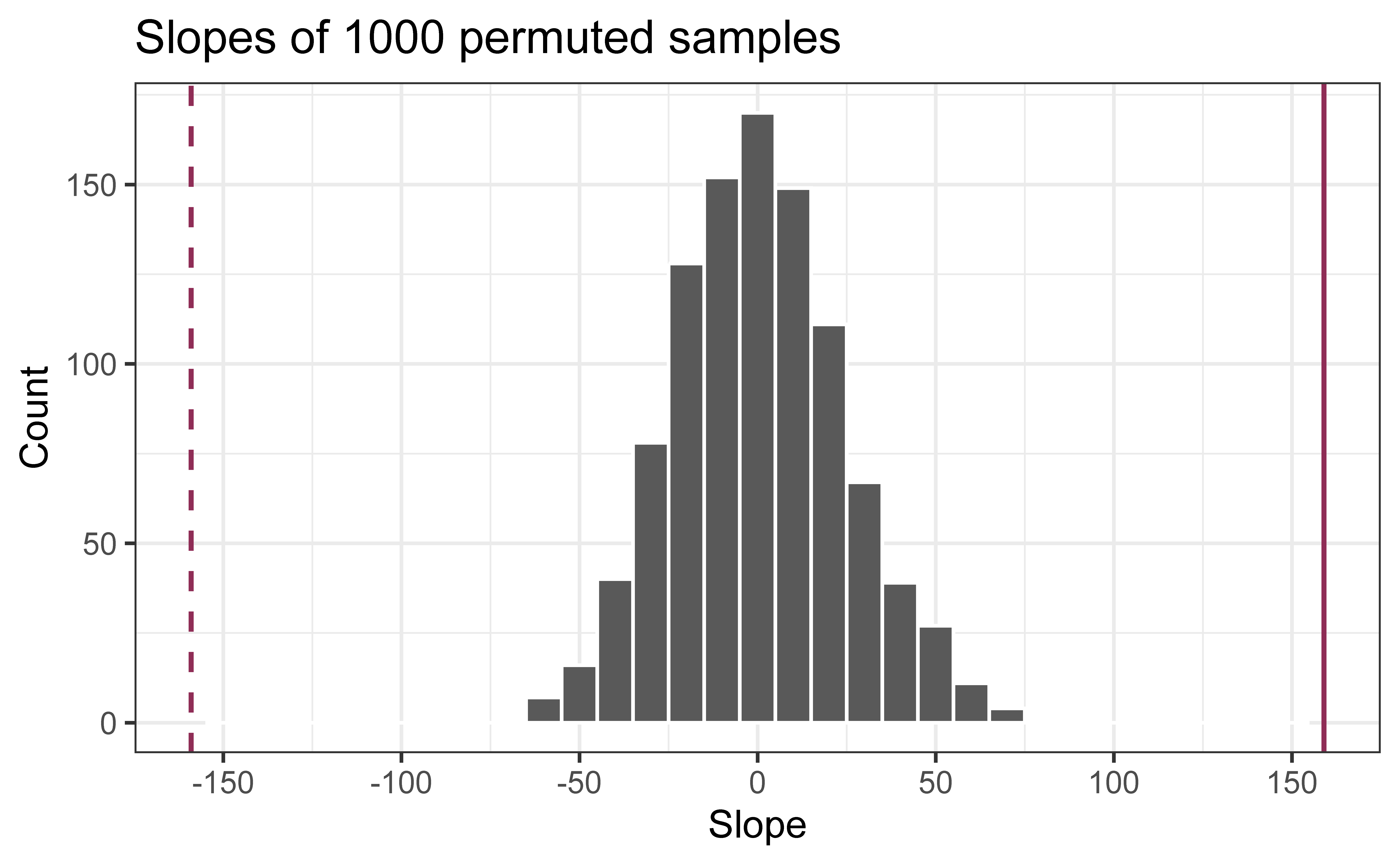
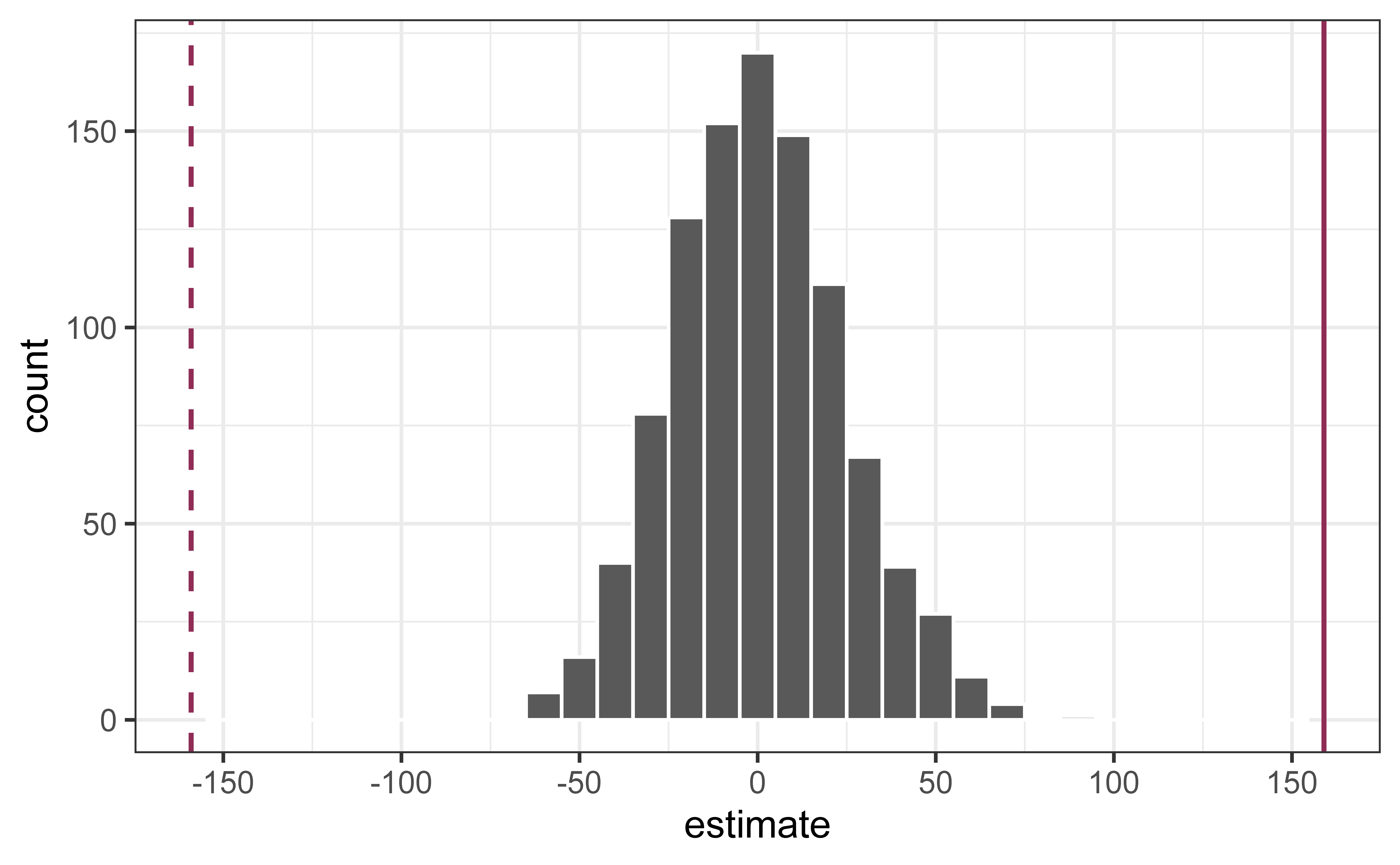
Is the observed slope of \(\hat{\beta_1} = 159\) (or an even more extreme slope) a likely outcome under the null hypothesis that \(\beta = 0\)? What does this mean for our original question: “Do the data provide sufficient evidence that \(\beta_1\) (the true slope for the population) is different from 0?”
Warning: Removed 2 rows containing missing values or values outside the scale range
(`geom_bar()`).
Permutation in R
First, define the original, “observed” fit of the model
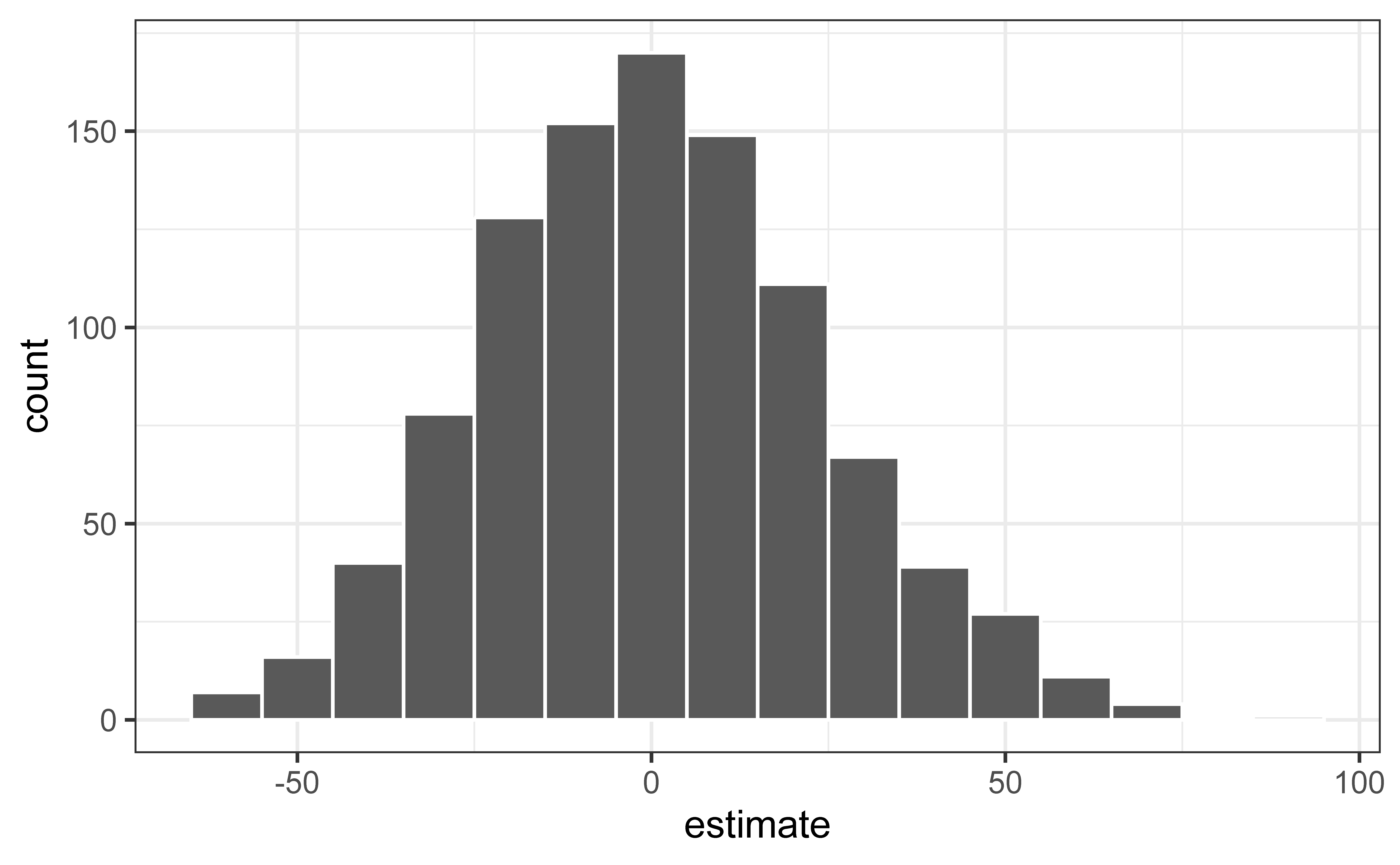
null_dist |>filter(term =="area") |>ggplot(aes(x = estimate)) +geom_histogram(binwidth =10, color ="white")
Reason around the p-value
In a world where the there is no relationship between the area of a Duke Forest house and in its price (\(\beta_1 = 0\)), what is the probability that we observe a sample of 98 houses where the slope fo the model predicting price from area is 159 or even more extreme?
Warning: Removed 2 rows containing missing values or values outside the scale range
(`geom_bar()`).
Warning: Please be cautious in reporting a p-value of 0. This result is an approximation
based on the number of `reps` chosen in the `generate()` step.
ℹ See `get_p_value()` (`?infer::get_p_value()`) for more information.
Please be cautious in reporting a p-value of 0. This result is an approximation
based on the number of `reps` chosen in the `generate()` step.
ℹ See `get_p_value()` (`?infer::get_p_value()`) for more information.
# A tibble: 2 × 2
  term      p_value
  <chr>       <dbl>
1 area            0
2 intercept       0
Warning: P-value of Zero?
When you get a p-value of 0 from permutation testing, R is telling you:
“Out of the [1000] permutation samples I created, none of them produced a test statistic as extreme as what you observed in your real data.”
But this doesn’t mean the true p-value is exactly 0!
You only did 1,000 permutations (or whatever reps you chose)
There are actually many more possible permutations you could have done but didn’t
Just because you didn’t see it in your sample doesn’t mean it’s impossible
Application exercise
📋 Continue on AE 04, working now on question 2.
Recap
Introduce bootstrap resampling as an alternative to parametric inference
Find range of plausible values for the slope using bootstrap confidence intervals